 RecipeTailor
Why bookmarks and screenshots let you down
A bookmark depends on the page staying where it is. Sites redesign, recipes move behind sign-ins, and blogs close. A screenshot keeps the text, but you can’t search it, a long recipe takes several of them, and the amounts can’t be doubled or halved.
What a recipe page already contains
Recipe sites add structured data so search engines can show their recipes with ratings, times and photos. Google’s guidelines list the fields: the ingredients, the steps, the yield, and the preparation and cooking times. The schema.org Recipe vocabulary defines them.
Because those fields are in the page, a tool can read the recipe itself rather than the ads and the story above it. Pages without that data need to be copied by hand.
Ways to keep a recipe
| Method | Search | Scale | Kept if the page changes |
|---|---|---|---|
| Bookmark | By title | No | No |
| Screenshot | No | No | Yes |
| PDF or reader view | Partly | No | Yes |
| Notes app | Yes | No | Yes |
| Recipe app import | Yes | Often | Yes |
Check the copy before you rely on it
Read through an imported recipe once. Check that every ingredient has its amount and unit, that the yield is right, and that steps split sensibly. Keep the link to the original so you can credit the author and read their notes and tips.
Save your own changes next to the original rather than over it. When you make it smaller, swap an ingredient or change the pan, you can still tell what the author wrote.
Sources and further reading
Save recipes from a link with RecipeTailor
Choose Add, then From a link, and paste the address. RecipeTailor reads the recipe data on the page and makes a draft with the ingredients, steps, times and source link for you to check before saving. It leaves the site’s photos where they are. If a page has no recipe data, paste the text instead. On Android you can share a link straight from the browser. Your first 3 link imports are free; RecipeTailor Pro removes the limit and adds combined shopping lists and 100+ classic recipes.
Free recipe scaling · iPhone and Android
See how RecipeTailor works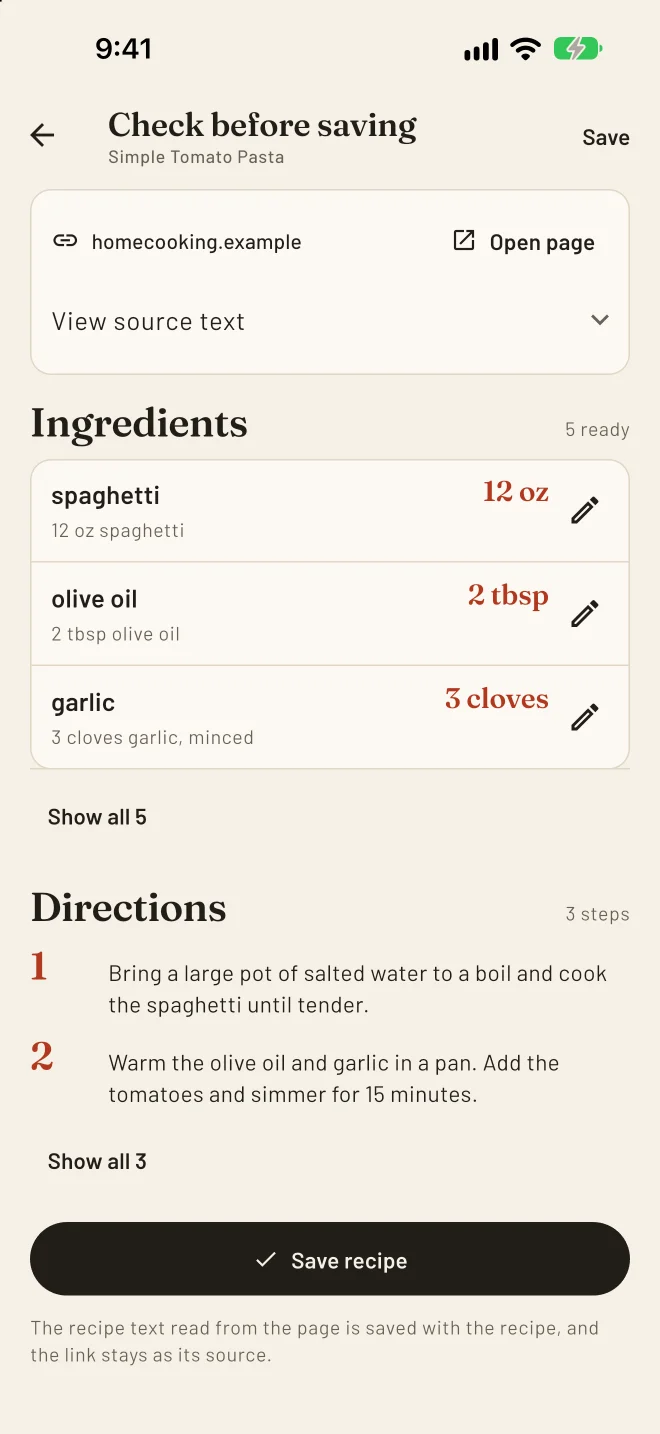
Questions
Why didn’t a link import?
The page probably has no structured recipe data, or it sits behind a sign-in. Copy the recipe text and use Paste instead; RecipeTailor keeps the source link with it.
Can I scale an imported recipe?
Yes. Once it is saved it is an ordinary recipe in your library, so you can tailor it by servings or by what you have, and cook from the new amounts.